Know what’s left.
Your lowest allowance, always in view.
Claude and Codex usage, together in your menu bar.
macOS 14+ · Local by design
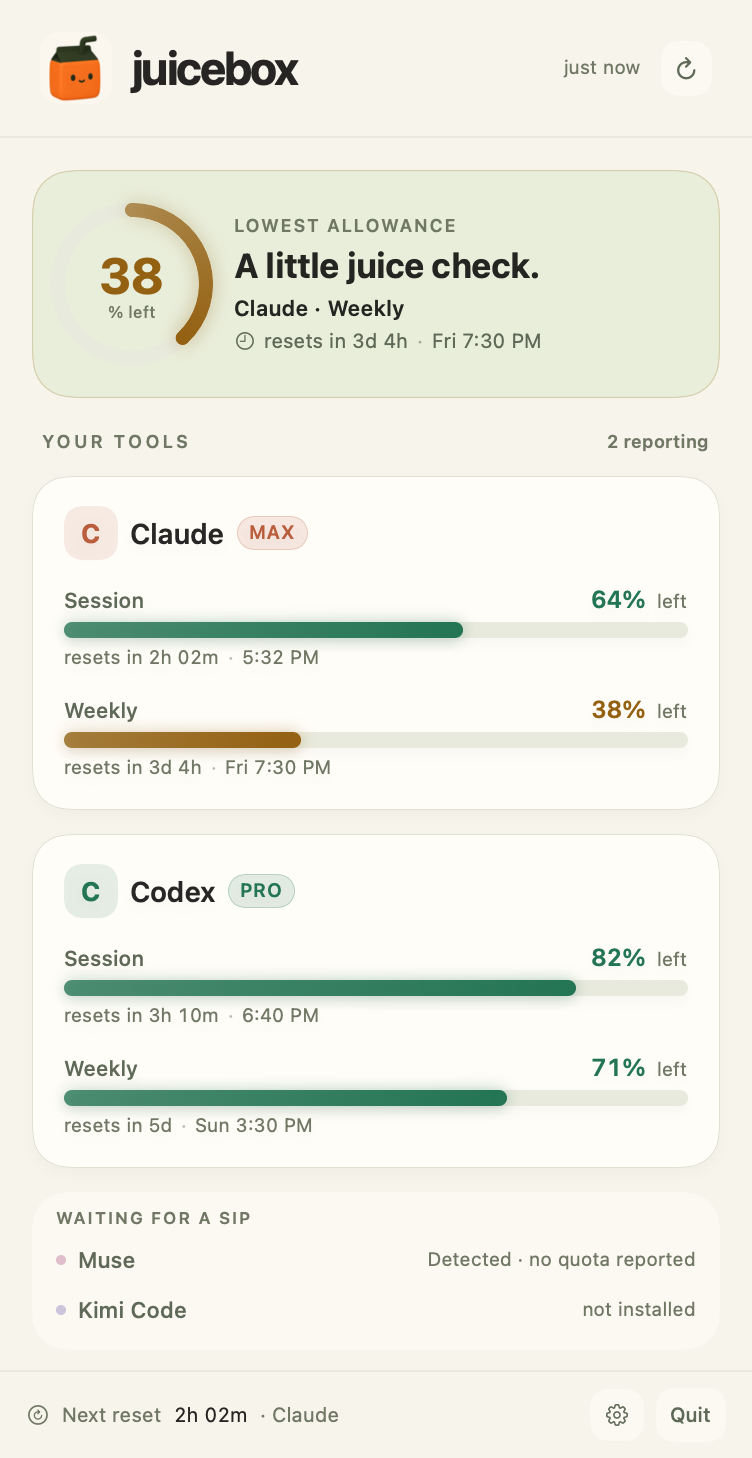 Actual app · sample allowances
Your lowest allowance, always in view.

Know exactly when your allowance returns.

Your usage stays on your device.
Every allowance and reset, a click away.
Make yourself at home ↗
Claude and Codex report live usage through the browser extension. Codex also supports a local-file fallback. Muse and Kimi Code are detected locally; Muse exposes no local quota, and Kimi only reports numbers if a quota block is available.
No. You sign in on the providers’ own websites. The extension makes usage requests through that existing session. The Mac app receives usage readings through a local bridge.
The Mac app keeps the most recent reading and identifies stale data. Codex can fall back to its local session files. Live browser readings resume when the extension is running again.
This version is installed from source with the Swift toolchain on macOS 14 or later. The setup guide includes the source download and the build command. The extension currently uses your browser’s Load unpacked option.